
Introduction
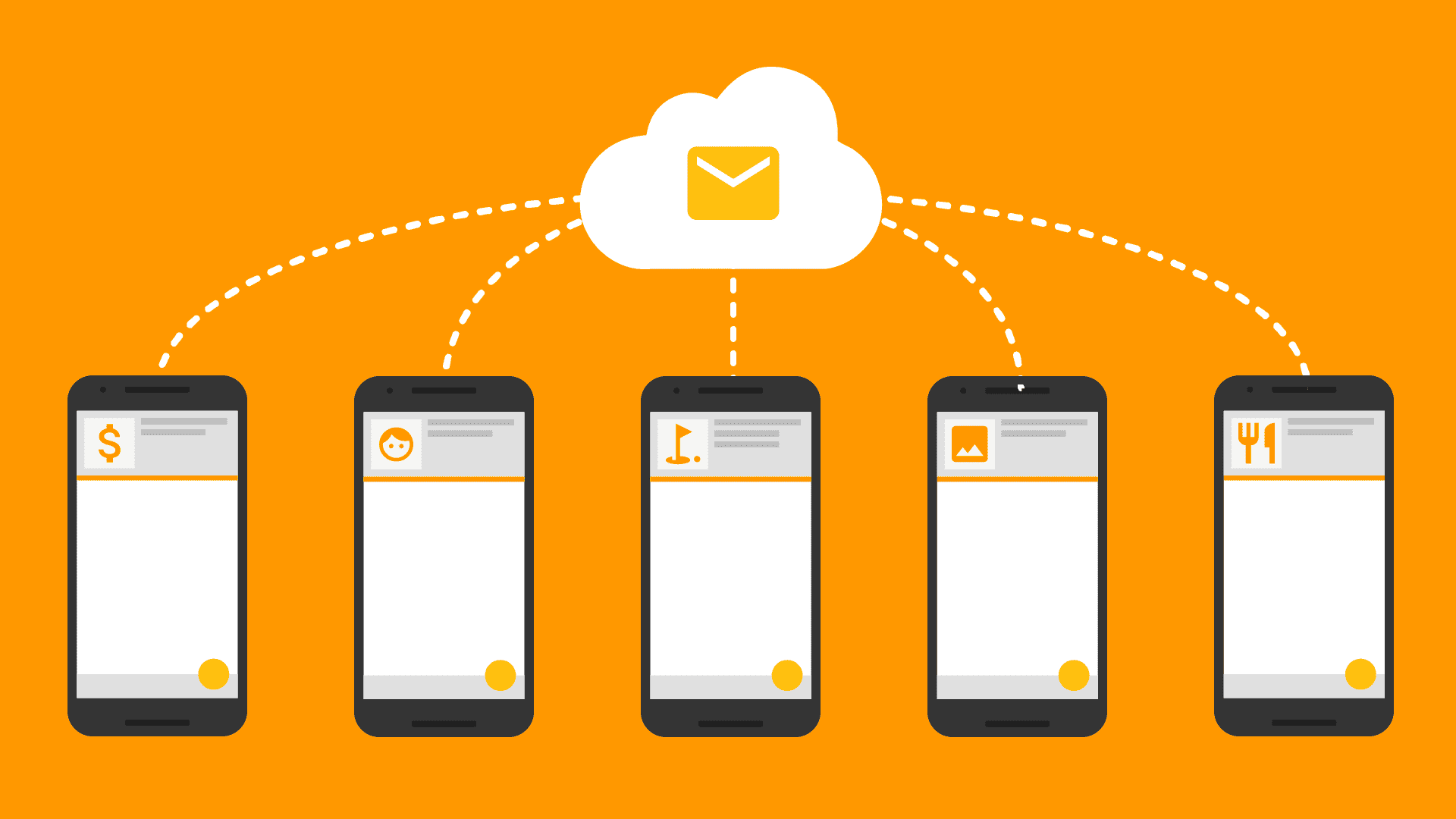
In today's digital landscape, push notifications are a powerful way to engage with users and keep them informed about important updates. Firebase Cloud Messaging (FCM) provides a seamless and reliable way to implement push notifications in web applications. In this blog, we will walk through the process of connecting a React application with Firebase Notifications, helping you send and receive notifications effortlessly.
Why Use Firebase for Notifications?
Firebase Cloud Messaging (FCM) allows you to send notifications and messages to users across platforms (Android, iOS, and Web) without having to manage the infrastructure yourself. It provides scalability, reliability, and ease of integration, making it a popular choice for many developers.
Step 1: Set Up a Firebase Project
Before integrating Firebase Notifications into your React app, you need to set up a Firebase project.
- Create a Firebase Project:
- Add Firebase to Your Web App:
- Generate VAPID Key:
Step 2: Install Firebase SDK in React
In your React application, you'll need to install Firebase SDK to access Firebase services.

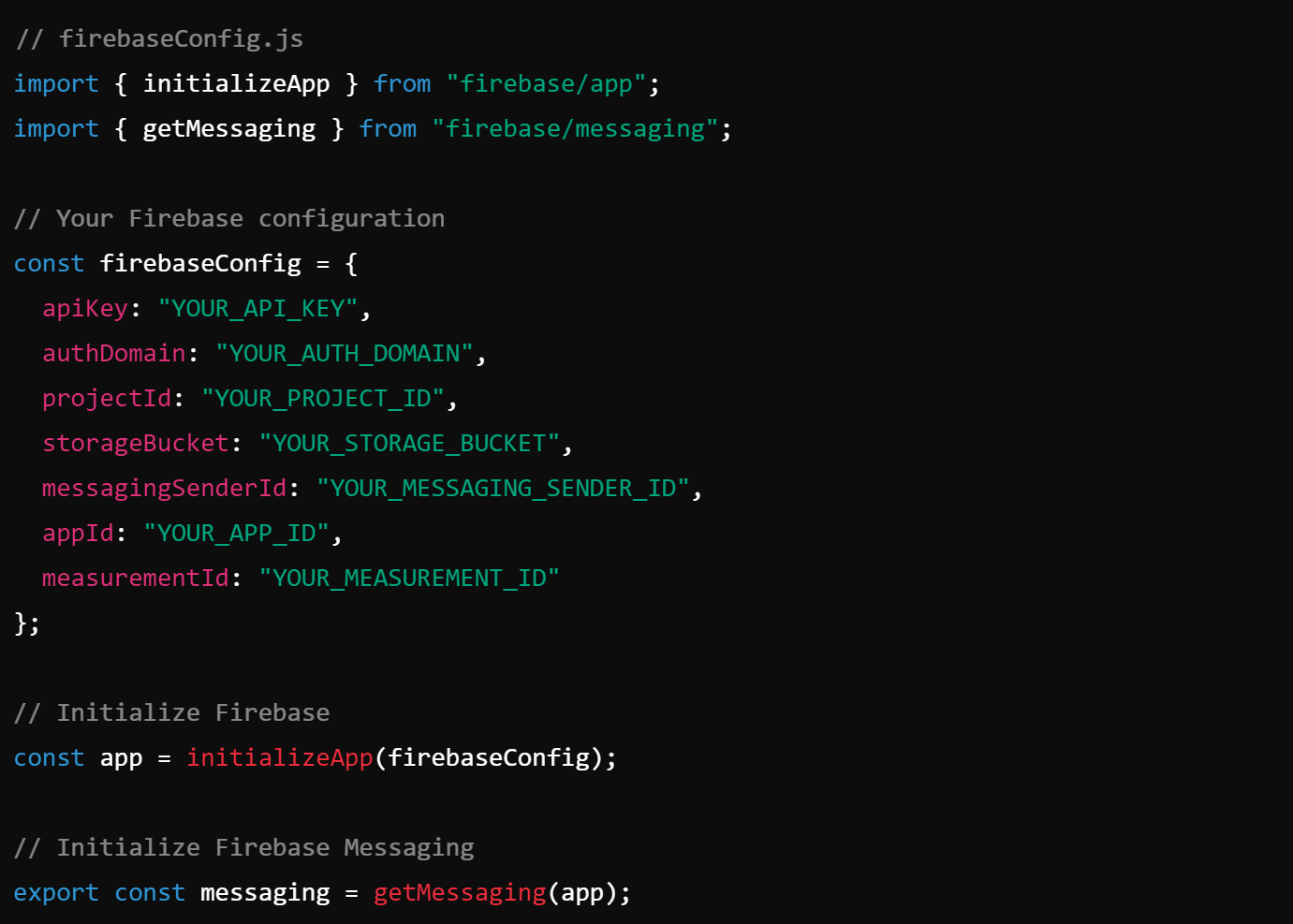
Step 3: Initialize Firebase in Your React App
Create a firebaseConfig.js file in your project, and paste the Firebase configuration that you copied from the Firebase Console.
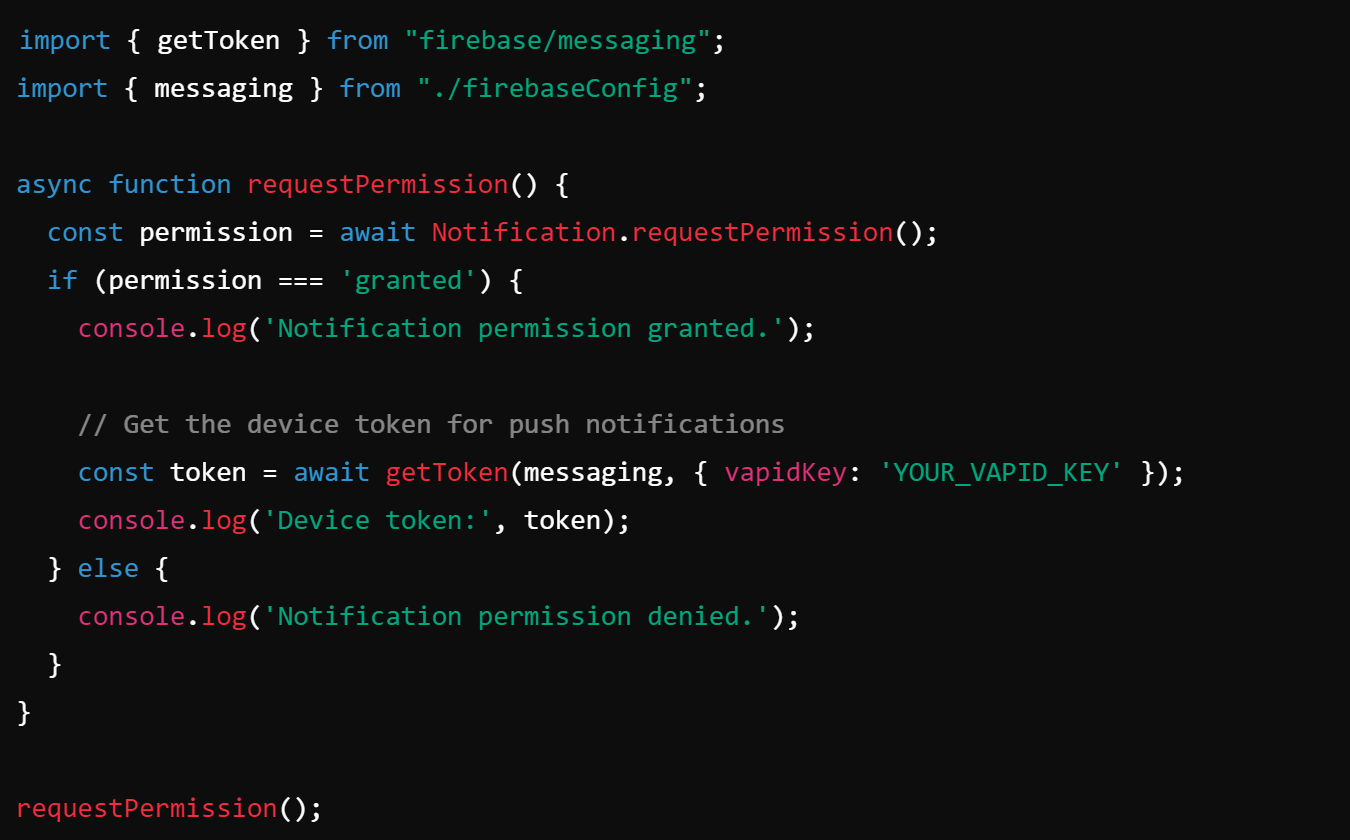
Step 4: Request Notification Permission in React
To receive notifications, the browser needs permission from the user. You can request permission when your React app starts:
Step 5: Handling Incoming Messages
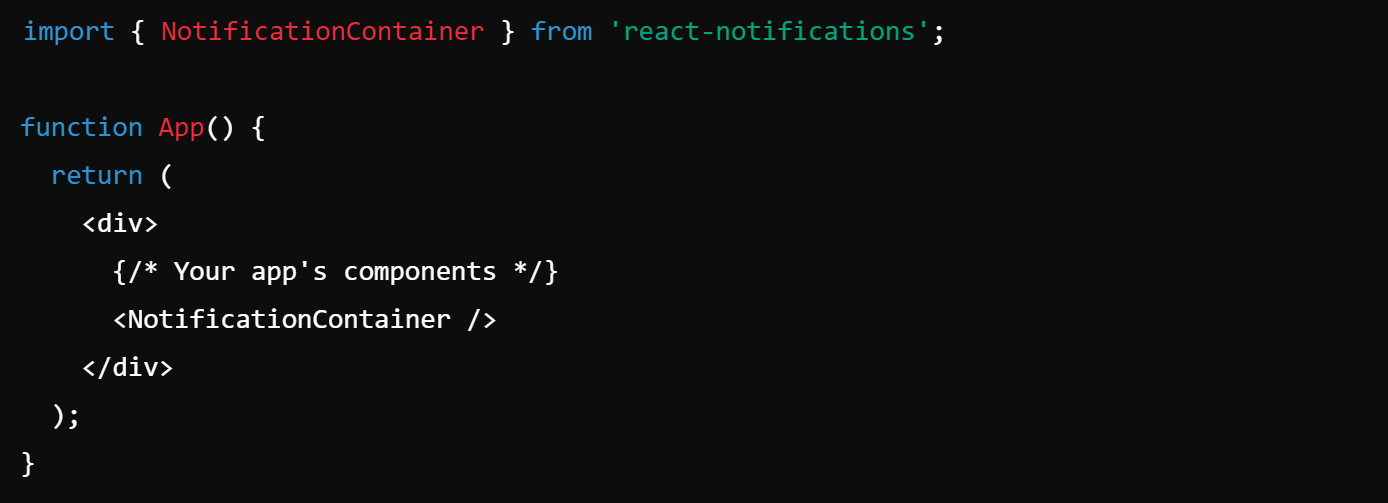
Once the user grants permission, you can handle incoming messages in your React app when the application is open using Firebase’s onMessage function. This allows you to display custom in-app notifications.
Make sure to include the NotificationContainer in your app to display the notifications:
Step 6: Testing Firebase Notificationsa
You can now test your Firebase notifications by sending messages from the Firebase Console. Go to the Cloud Messaging section in Firebase, click "Send Your First Message," and enter the message details. You can target all users or use the device token to send notifications to specific devices.
Benefits of Using Firebase for Notifications
- Create a Firebase Project:
- Add Firebase to Your Web App:
- Generate VAPID Key:
Conclusion
Integrating Firebase Notifications into your React application is a great way to enhance user engagement by delivering timely updates directly to users. With Firebase Cloud Messaging, you can easily manage notifications across different platforms while minimizing development effort.
How Memetic Solutions Helps Clients with Firebase Notifications
At Memetic Solutions, we specialize in leveraging cutting-edge technologies like Firebase to provide tailored notification systems that improve user engagement and retention. Whether it’s real-time updates, targeted messaging, or push notifications, we integrate solutions that suit your business needs. We help our clients implement robust notification systems in React applications, ensuring seamless integration with Firebase, and providing a smooth, user-friendly